
Explode to Polygons
Converts selected shape types (paths with width, closed zero-width polylines, circles, arcs, NURBS, donuts, and text) into polygon boundaries.
When to Use
- Before exporting to formats that only support polygons (e.g., GDSII BOUNDARY records)
- When boolean operations require all geometry to be closed polygons
- To eliminate path width and end-cap ambiguity
Options
| Option | Description | Default |
|---|---|---|
| Explode all shape types | Convert every supported non-polygon shape type | On |
| Polylines with width | Convert only polylines that have non-zero width when Explode all shape types is off | On |
| Zero-width closed polylines | Convert closed zero-width polylines to polygons; this checkbox is independent of Explode all shape types | Off |
| Text | Convert text labels to polygon outlines when Explode all shape types is off | On |
| Circles | Convert circles to polygons when Explode all shape types is off | On |
| NURBS | Convert NURBS/splines to polylines when Explode all shape types is off | On |
| Donuts | Convert donut shapes when Explode all shape types is off | On |
| Donut style | Use Single Outline or Half Donuts for donut conversion | Single Outline |
| Arcs | Convert arcs to polylines when Explode all shape types is off | On |
| Arc Precision | Precision value and units for circle, arc, donut, and spline approximation | 32 segments/360° |
| Apply To | Apply to All Visible geometry or only the current Selection | All Visible |
The Zero-width closed polylines control is separate from Polylines with width. This lets you preserve closed zero-width polylines as polylines while still exploding wide polylines, or convert closed zero-width polylines without converting every other polyline type.
Arc Precision Modes (Circle → Polygon)
When circles/arcs are approximated into polygon segments, Arc Precision can be interpreted in two common ways:
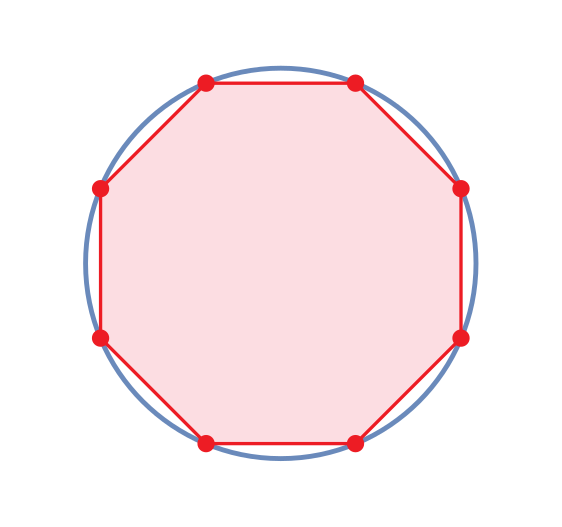
- Segments per 360°: uses a fixed segment count around a full circle
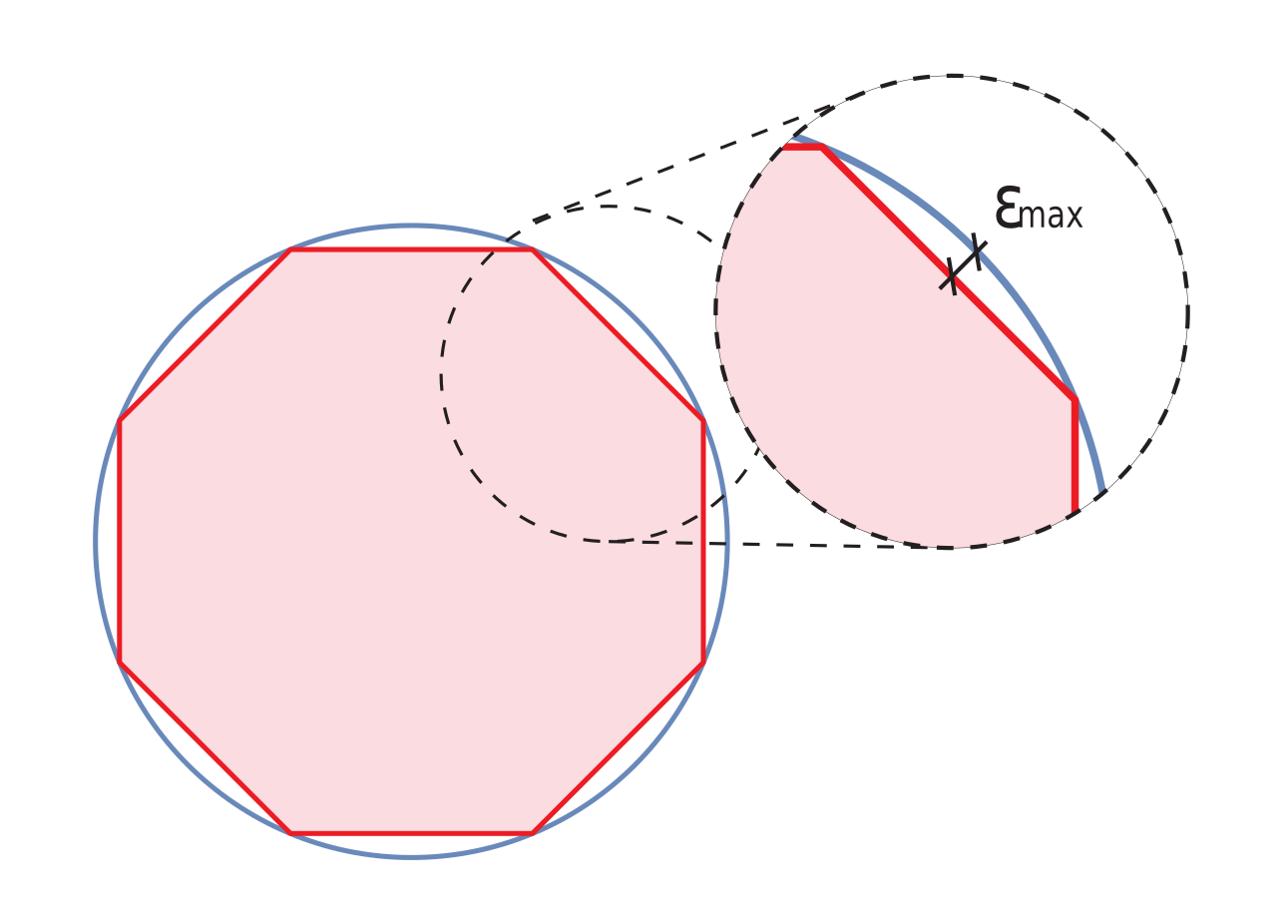
- Maximum error: uses a geometric tolerance and increases segment count until the deviation stays below the limit
Segments per 360°
Fixed segmentation creates a predictable vertex count per full circle.
Maximum error
Tolerance-based segmentation limits the worst-case deviation between the true circle and the polygon approximation.
How It Works
- Polylines with width are expanded to outline polygons, including end caps
- Zero-width closed polylines are converted to polygon boundaries only when their dedicated checkbox is enabled; Explode all shape types does not include them
- Circles, arcs, NURBS, and donuts are approximated with the configured Arc Precision
- Text is converted to filled polygon outlines of each character when enabled
Technical Notes
- The original shapes are replaced — this operation is not reversible without undo
- Arc precision controls the smoothness of curved shapes: higher values produce smoother curves but more vertices
- Batch mode uses the same option key,
ToolConvertZeroWidthClosedPolylines, on the Convert to Outline tool group