
Working with Layers
Layers are the primary organizational structure in CAD files. They group geometry by function — metal interconnects, insulation, drill holes, or annotation — and control visibility, color, and export behavior.
Layer Panel
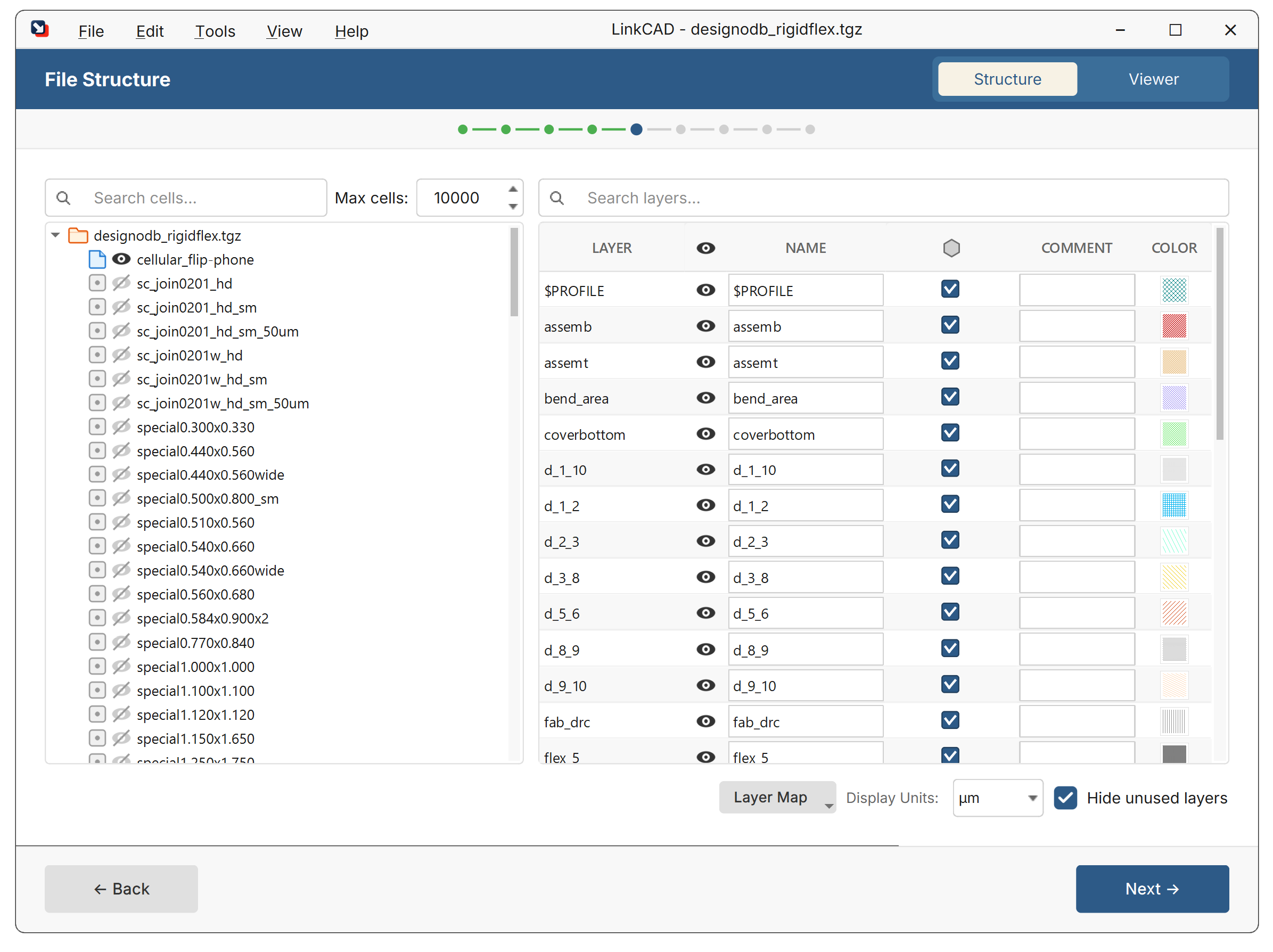
The layer panel on the left side of the LinkCAD window shows all layers in the current drawing. Each layer displays:
- Name — the layer identifier (name or number, depending on the source format)
- Color — the display color in the viewer
- Visibility — toggle to show or hide the layer
Layer Actions
Right-click a layer to access:
- Rename — change the layer name
- Merge Layers — combine multiple layers into one
- Sort Layers — reorder layers alphabetically or by number
- Delete — remove a layer and all its geometry
Select multiple layers with Ctrl+Click or Shift+Click for batch operations.
Layer Visibility
Toggle layer visibility by clicking the eye icon next to each layer. Hidden layers are excluded from the viewer and, optionally, from export.
Layer Colors
Each layer is assigned a display color. Colors can be:
- Set automatically by LinkCAD based on the source format’s color table
- Defined in a layer map CSV file
- Changed manually by right-clicking a layer
How Layers Map Between Formats
Different formats represent layers differently:
| Format | Layer Identifier |
|---|---|
| GDSII | Layer number + datatype (e.g., 3/0) |
| DXF/DWG | Named layers (e.g., Metal1) |
| Gerber | One layer per file |
| CIF | Named layers (e.g., NM) |
| PostScript | Color-based layer assignment |
LinkCAD handles the translation automatically. For fine control, use a layer map.
Elevation and Thickness (3D Export)
For 3D export formats (ACIS SAT, Parasolid XT, ANSYS ANF), layers can have:
- Elevation — the Z-coordinate of the layer’s bottom surface (in picometers)
- Thickness — the extrusion height (in picometers)
- Stack — whether the layer is stacked on top of the layer below
These properties are set via the layer map CSV file.